Programmable Logic Controller Trainer Manufacturer,Supplier and Exporter in India
Product Code : JA-DAIAPC-9610
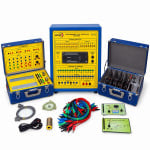
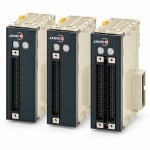
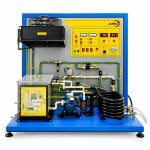
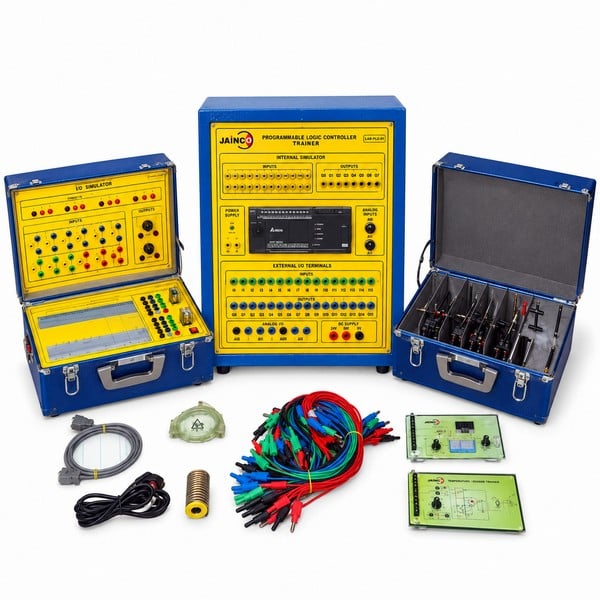
The Programmable Logic Controller Trainer is a bench trainer built around a PLC for first programming practice. A student experiment manual guides each exercise from simple logic to timers and counters. The trainer accepts accessories and peripherals, so the set-up can grow into a larger system as the course moves on.
Specifications of the Programmable Logic Controller Trainer
| Product code | JA-DAIAPC-9610 |
|---|---|
| PLC type | Compact PLC mounted on a bench trainer panel, with every input and output brought out to a socket or terminal |
| Digital inputs and outputs | 8 to 16 digital inputs and 4 to 16 digital outputs at 24 V DC; relay or transistor outputs, depending on the PLC |
| Analogue inputs | Inputs for 0 to 10 V signals, on the PLC or on an analogue expansion module |
| Input switches and indicators | Latching on/off switches and momentary push-buttons to simulate input signals; LEDs show the state of each input and output; lamp, buzzer or relay loads on the panel |
| Programming and PC link | PC programming software with ladder logic, including contacts, coils, timers and counters; USB or Ethernet port |
| Power supply | 230 V AC, 50 Hz single-phase mains; built-in 24 V DC supply for the PLC and I/O |
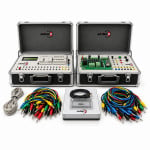
| Expansion | Accepts accessories and peripherals, so the set-up can be built up into a larger system |
| Documentation | Student experiment manual that guides students through the experiments |
| Typical exercises | Logic instructions, latching, timers, counters, a traffic light sequence and motor start-stop with a contactor |
| Supplied by | JaincoLab |
First PLC programming exercises on the trainer
- Start-stop latch. Wire a start push-button and a stop push-button to two inputs and write a latching rung that holds a lamp output on. Then build the same circuit with contactors on the Motor Control Circuit Trainer and compare the two methods. Make every wiring change with the supply off, and have the teacher check the circuit before switching on.
- Timed sequence. Program a red, amber and green sequence with on-delay timers and watch the output LEDs step through it. Change one preset and see the whole cycle change without any rewiring.
- Counting and batching. Count push-button pulses with an up-counter and switch an output when the preset is reached. The same logic later counts real parts on the Conveyor System Trainer.
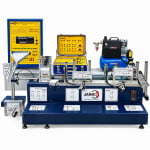
- From panel to plant model. Connect the trainer outputs to the Programmable Logic Controller Trainer Modular Application Modules and run the sequence on a working model instead of LEDs.
Frequently Asked Questions
What happens in one scan cycle of the PLC on the trainer?
The PLC first reads every input and stores its state in memory. It then works through the program from the first rung to the last, using those stored states. Finally it updates all the outputs at once, handles communication and starts the next scan straight away.
Why is ladder logic usually taught first on a PLC trainer?
Ladder logic looks like the relay wiring diagrams that electricians already read, with contacts on the left and coils on the right. Students can watch power flow along each rung while the program runs. Other languages, such as function blocks or structured text, are easier to learn after that.
Which exercises should follow the traffic light sequence in a first PLC course?
Move on to tasks that look like real plant work. Good next steps are a motor start-stop with interlocks and forward and reverse control. Then try counting and batching, a tank that fills and empties, and a sorting conveyor. Add a planned fault to each task so students practise fault finding too.
How does a PLC trainer compare with hard-wired relay control for teaching?
Hard-wired relays teach how a control circuit works, but every change means rewiring. On a PLC the same logic is changed in software, and timers, counters and fault diagnosis are built in. Many courses teach a simple relay circuit first, then the same task on the PLC.
Can the trainer take extra I/O or expansion modules after we buy it?
Yes. The trainer accepts accessories and peripherals, so a set-up can be built up into a larger system later. Say which signals or modules you plan to add, for example analogue I/O or application modules, when you send your enquiry through our contact page.
Will your engineers install the trainers and show our staff how to use them?
Yes. JaincoLab service engineers install the trainers at your site, and a team can give your staff a demonstration of the exercises. A service manual is available, and each trainer comes with its student experiment manual. Arrange the visit through our contact page.
Other PLC equipment in the range
- Industrial PLC System
- Programmable Logic Controller Trainer Modular Application Modules
- Conveyor System Trainer
Turnkey laboratory projects are a JaincoLab specialism. We manufacture and export equipment for education-ministry programmes, World Bank tenders and United Nations projects, with successful deliveries in many countries. If you are bidding for a similar tender, share the bill of quantities through our tenders page.
See the Data Acquisition, Instrumentation and Process Control range and more electronics lab equipment from JaincoLab, an electronics lab equipment manufacturer in India.
For a quotation, send the product name and the quantity you need through our contact page. For tender or project supply, see our tenders page.